Account permission settings
◆ Add account permissions
| Operation Steps |
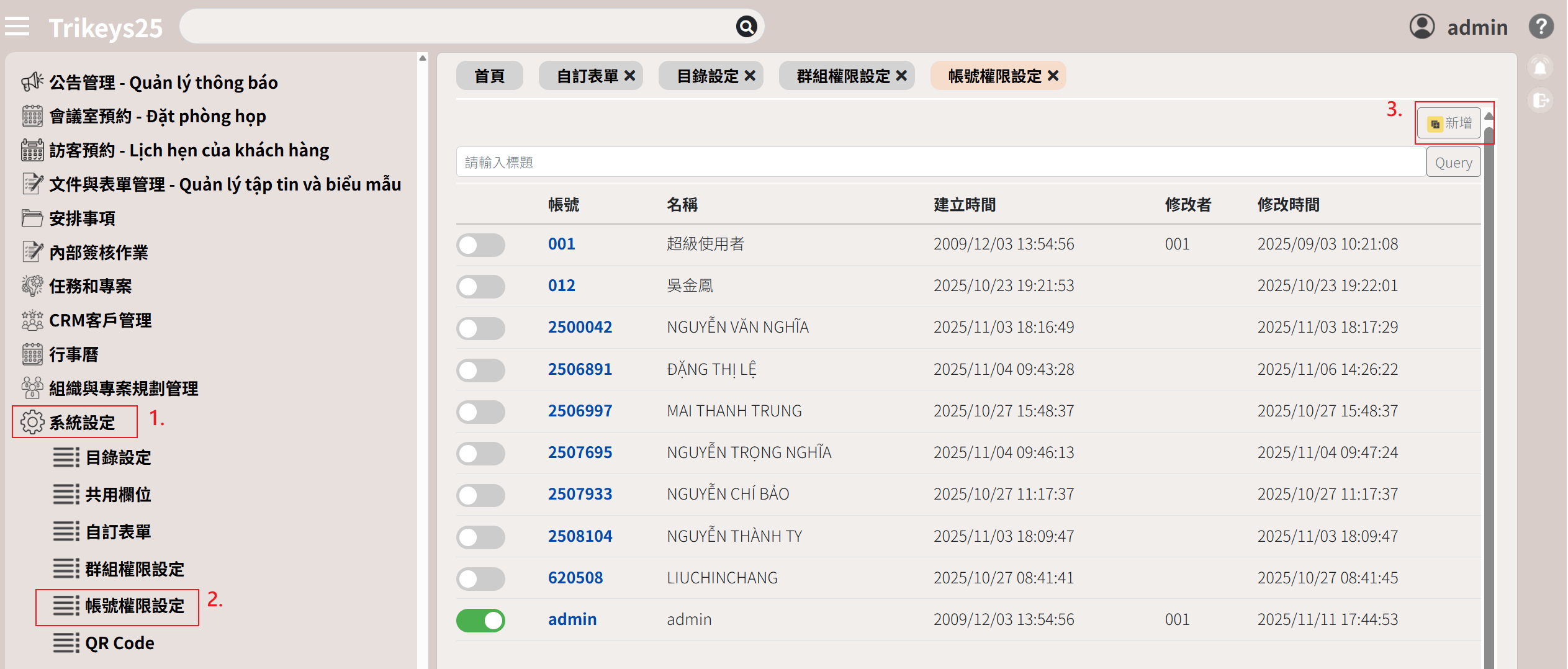
1. Select System Settings
2. Select Account Permission Settings
3. Click "Add" .
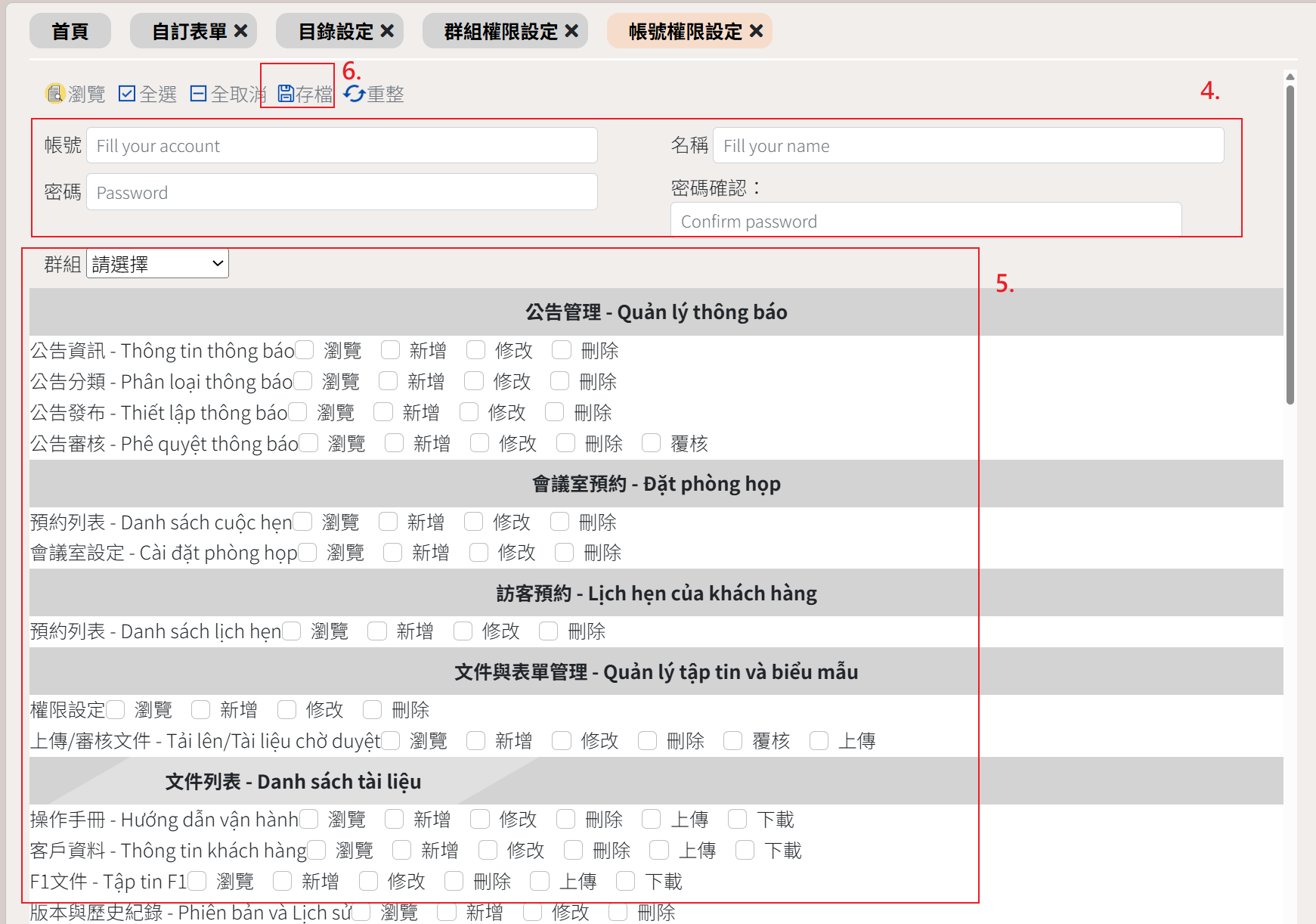
4. Enter your account and password
5. Select the group and confirm the selected operation permissions.
6. Select Save
◆ Edit Account Permissions
| Operation Steps |
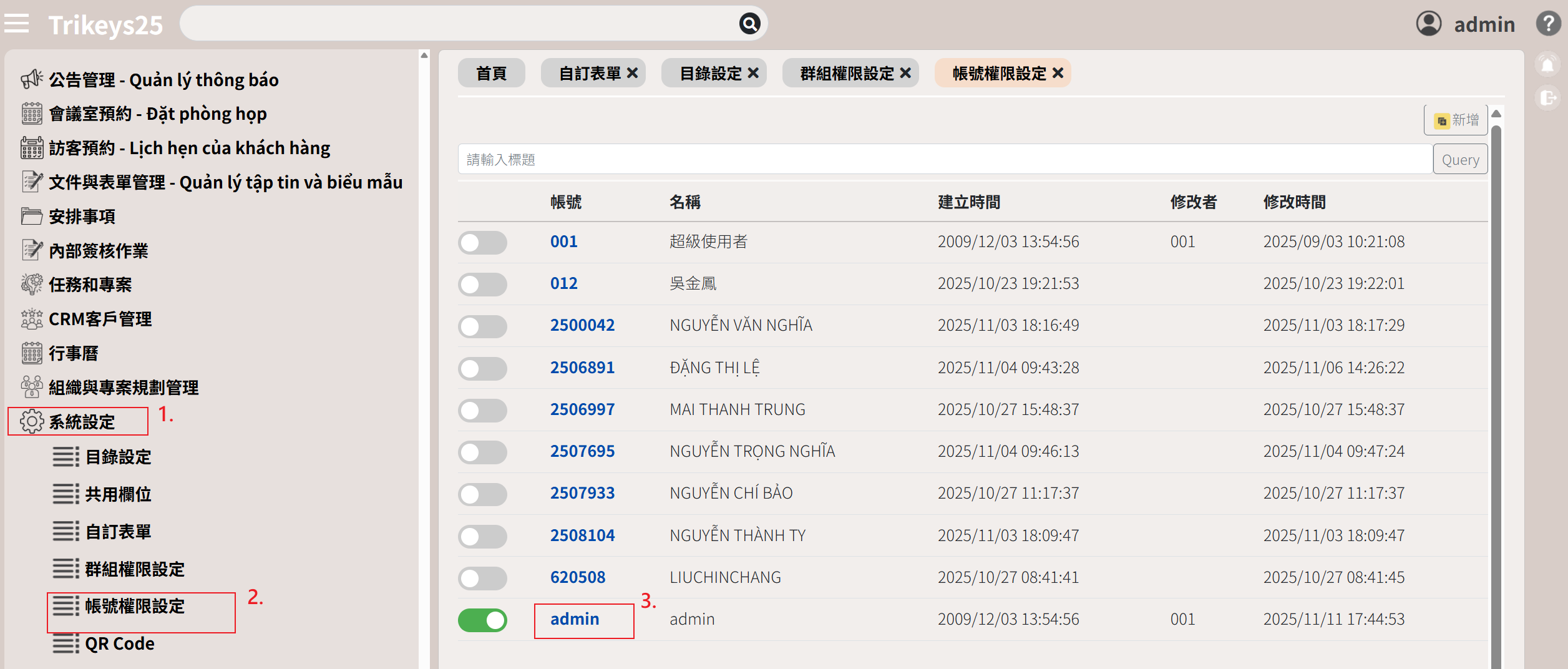
1. Select System Settings
2. Select Account Permission Settings
3. Click on the account name (in blue).
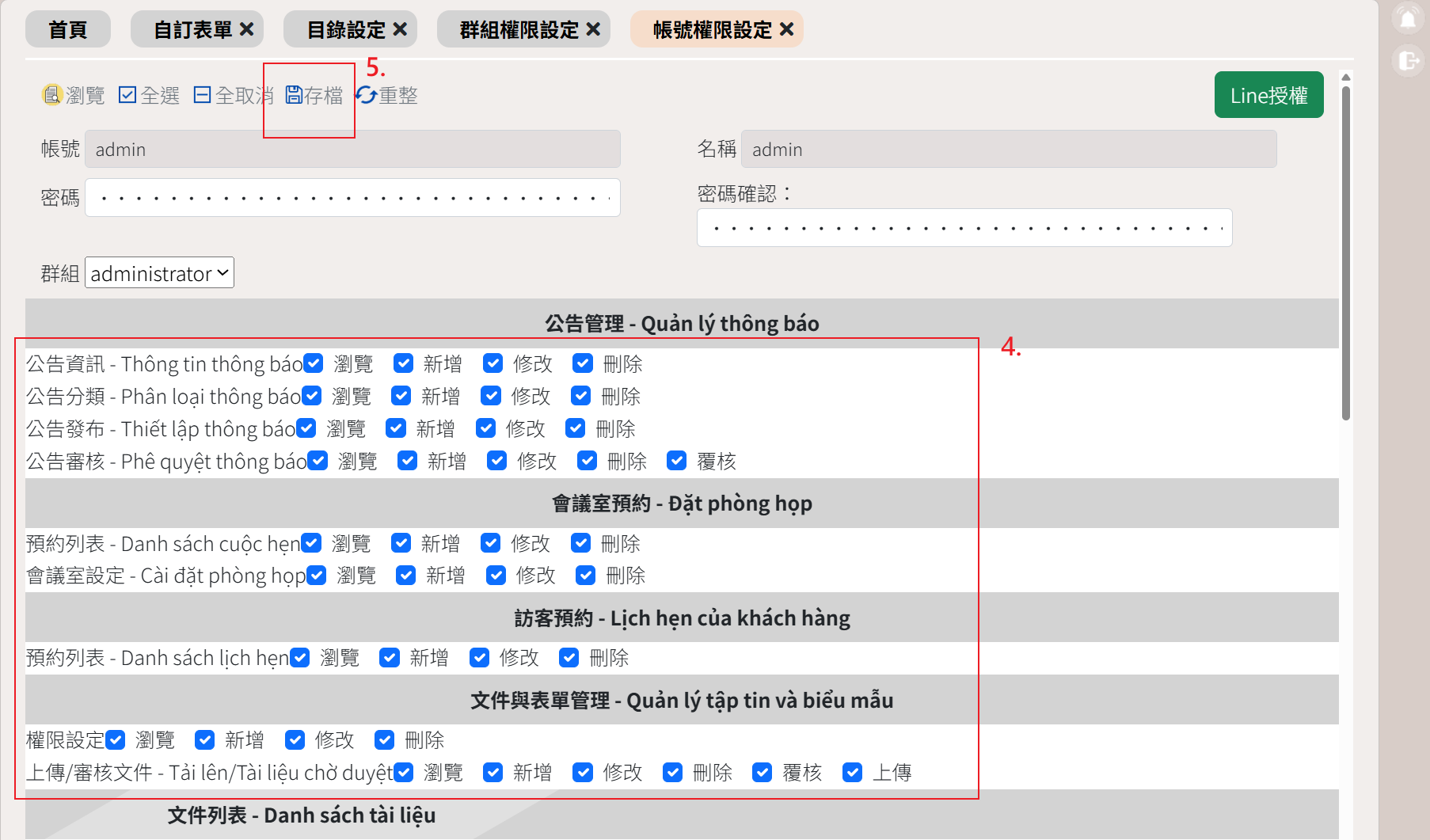
4. Modify operation permissions
5. Select Save
◆ Already have an account linked to LINE? Log in
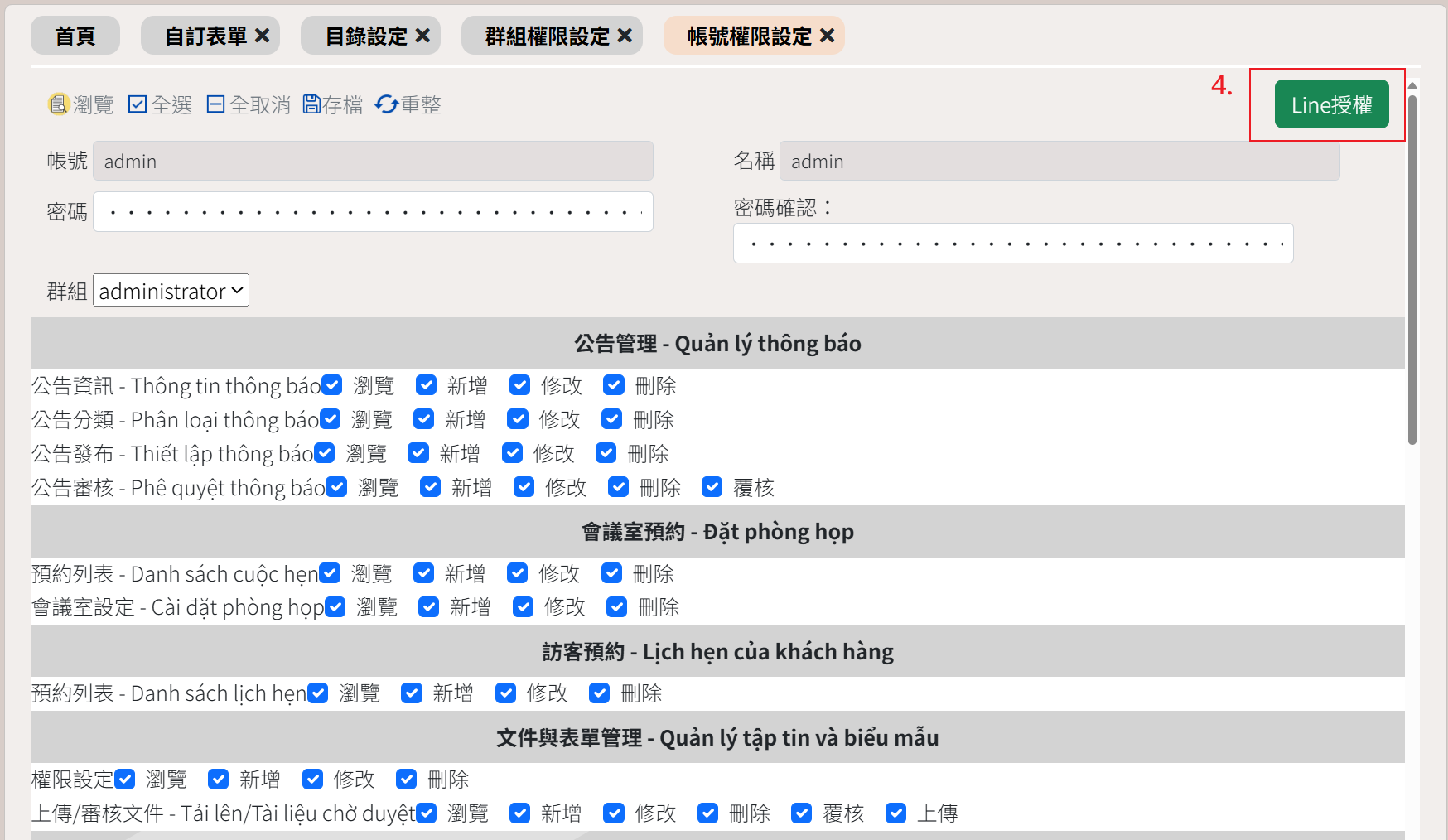
| Operation Steps |
1. Select System Settings
2. Select Account Permission Settings
3. Click on the account name (in blue).
4. Click to authorize LINE
◆Turn account permissions on/off
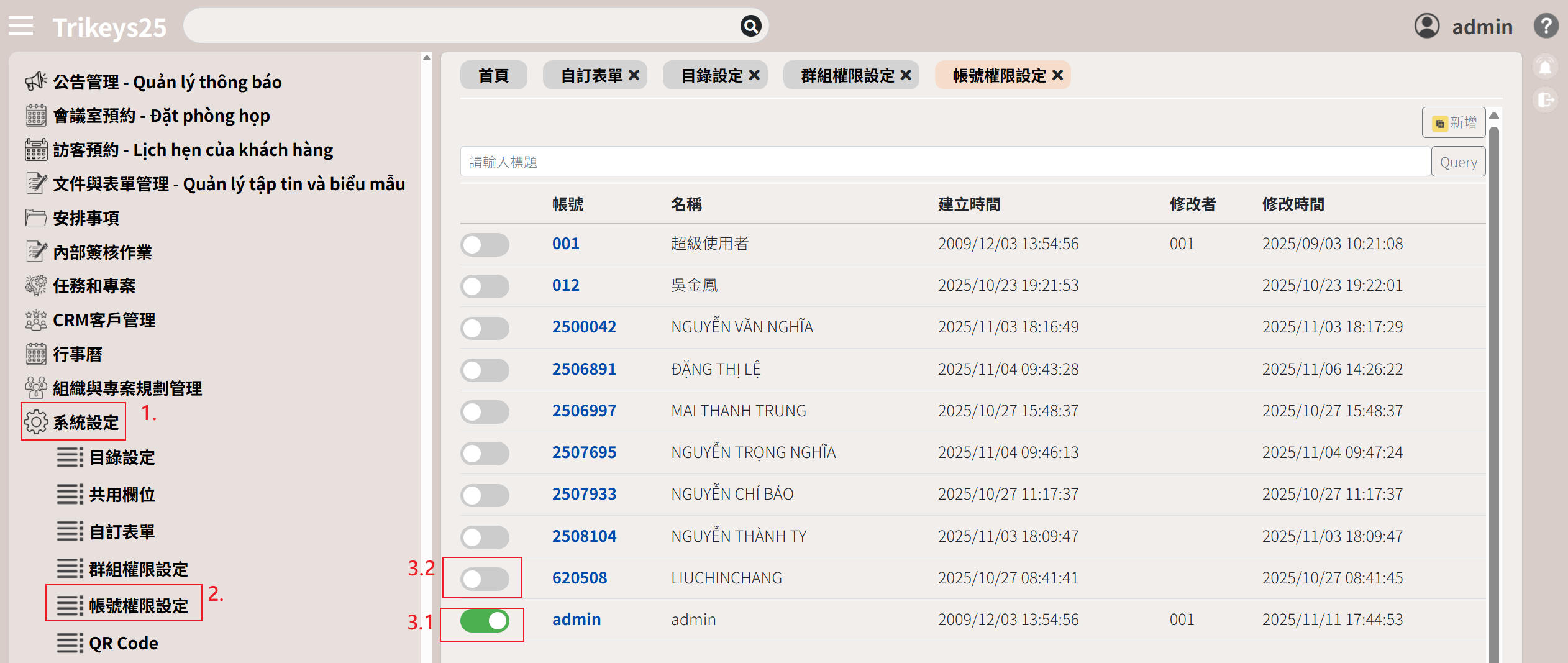
| Operation Steps |
1. Select System Settings
2. Select Account Permission Settings
3. Turn off the green button - disable the account; turn on the gray button - enable the account.